Best Free RSVP Tool in 2026: 8 Apps & Websites Compared (Honest Review)
We tested 8 free RSVP apps and websites for 2026, comparing live trackers, real guest limits, and hidden ad fees. See which free RSVP tool fits your event.

Planning an event?
Invyt handles your RSVPs so you can focus on the celebration — not the spreadsheet.
Try Invyt free →A free online RSVP tool is a web app that collects and tracks guest responses through a shareable link (text, email, or WhatsApp), so you skip paper cards and spreadsheets. The best free options in 2026 are Invyt (multi-event weddings), Partiful (casual parties), Luma (community events), and Joy (traditional weddings).
A free online RSVP tool lets your guests confirm attendance through a link you share via text, email, or WhatsApp, and it tracks every response for you on one dashboard. No paper cards, no awkward "are you coming?" follow-ups, no spreadsheet chaos. According to The Knot's 2025 Real Weddings Study, about 90% of couples now make a wedding website, and online RSVP has become a mainstream expectation. But "free" means different things on different platforms. Some show ads to your guests. Others cap your list at 100 people. A few are genuinely free with no strings.
The Quick Verdict (Best Free RSVP Tool for Each Job)
If you only read one section, read this. Full breakdowns for each tool follow below.
- Best overall for weddings & multi-event celebrations — Invyt: the only free tool here that tracks RSVPs separately for each event in a multi-part celebration, with WhatsApp sharing and a live dashboard.
- Best free for casual parties — Partiful: fully free, no cap, social activity feed built for friend-group hangouts.
- Best free for modern & community events — Luma: genuinely free with unlimited events and guests, no ads, plus QR check-in.
- Best free for traditional weddings — Joy: a free wedding website, registry, and Smart RSVP in one bundle.
- Best free RSVPify alternative — Invyt: unlimited free guests, no ads, and multi-event RSVP, with any premium features paid once per event instead of RSVPify's recurring monthly bill.
RSVP App vs Software vs Platform vs Tracker: Same Job, Different Words
People search for this same thing under a dozen names — a free RSVP app, free RSVP software, an RSVP platform, an online RSVP system, or simply a free RSVP tracker. They all name one category: a tool that collects and tracks who's coming without the manual work. The only meaningful distinction is depth — a "tracker" implies a live dashboard behind the form, while a bare "RSVP form" just gathers replies and leaves the counting to you.
How We Compared These Tools
We tested eight popular RSVP platforms for real events and compared them on the things that actually matter: free-tier caps, whether guests see ads, how deep the RSVP tracking goes, multi-event support, and how easily you can share the link. All free tiers and prices below were re-verified in July 2026, since most of these platforms quietly change their limits every year. Where a platform's own pricing page was the source, we've linked it so you can confirm before you commit.
Quick Comparison: What You Get for Free
Before we go deep on each tool, here's what the free tiers look like side by side.
Now, the details.
Invyt: Best Free RSVP for Multi-Event Gatherings
Invyt is a free multi-event RSVP and guest-tracking app, best for weddings, quinceañeras, and multicultural celebrations with more than one event.
What it is: A digital invitation, RSVP, and guest-tracking platform built for events that have more than one part. Think a wedding with a ceremony, reception, and after-party. Or a quinceañera with a Mass and a vals. Or a South Asian wedding week with five or six separate events. For couples, it pulls together everything you need for your wedding RSVPs into one shareable page. Invyt (www.invyt.app) is a free digital-invitation and RSVP-tracking platform for weddings and events — not a wedding-website-plus-registry suite like Joy, or a public ticketing platform like Eventbrite.
What you get for free:
- Unlimited guests and unlimited events
- No ads on your invitation or RSVP page
- Multi-event RSVP (guests pick which events they're attending)
- One-tap WhatsApp share, plus SMS and email via your phone's native share sheet
- QR code generation for printed invitations
- Dietary restriction tracking
- Plus-one management
- Multilingual invitation pages (English, Spanish, Portuguese)
Invyt's free tier covers unlimited guests across unlimited events — genuinely ad-free, with multi-event RSVP, one-tap WhatsApp sharing (plus SMS and email through your phone's native share sheet), QR codes, plus-one and dietary tracking, and a live dashboard showing accepted, declined, and pending with a real headcount. Invyt monetizes through optional per-event premium features — like CSV export and advanced dietary reporting — paid once per event, never a monthly subscription and never a per-guest fee.
Where it shines: If your event has multiple parts with different guest lists, Invyt handles this better than anything else on this list. Your mehndi might have 80 guests while your reception has 200. Invyt is the only free RSVP tool here that tracks responses separately for each event in a multi-part celebration — guests RSVP to each event separately from one page.
The WhatsApp sharing is a big deal for international families and communities where group chats are how invitations actually get sent. You share a link, guests tap it, pick their events, confirm dietary needs, and you see everything on one dashboard.
On the tracking side, the free RSVP tracker is where Invyt does the most quiet heavy lifting. Every response lands on a live dashboard split into accepted, declined, and pending, with a running total headcount that already folds in plus-ones and children. Dietary notes sit next to each guest, so the list you hand your caterer is the list, not a spreadsheet you reconcile by hand the night before. For weddings specifically, the online wedding RSVP guide walks through setting this up end to end.
The catch: Invyt is focused specifically on invitations and guest management. It won't help you find a venue or build a wedding registry. If you need an all-in-one wedding planning suite, that's not what this is. It does one thing and does it well.
Best for: Couples planning weddings with multiple events, multicultural celebrations, anyone coordinating guests across WhatsApp, and hosts who want a clean RSVP page and a real tracker without ads.
Create your free RSVP page on Invyt
Evite: The Name Everyone Knows
Evite is a free digital-invitation platform, best for casual parties and birthdays where ads on the invitation aren't a dealbreaker.
What it is: The original digital invitation platform, around since 2004. Evite has brand recognition that none of the newer tools can match. Your aunt knows what Evite is.
What you get for free:
- Up to 750 guests per event
- Thousands of invitation designs
- RSVP tracking and reminders
- Comment wall for guests
- Potluck and payment collection features
Where it shines: Template selection. Evite has designs for virtually every occasion, and the interface is familiar to anyone who's used it before. The potluck coordination feature is surprisingly handy for casual events.
The catch: Free Evite invitations show ads to your guests. Not small, subtle ads. Banner ads that appear on the same page as your event details. For a birthday potluck, maybe that's fine. For a wedding or formal celebration, it changes the feel of your invitation entirely.
Removing ads means buying a Premium package, which as of 2026 runs $17.99 for up to 12 guests, $36.99 for 30, $68.99 for 75, and $99.99 for 750 guests. There's also an annual Evite Pro plan at $249.99/year that covers unlimited ad-free invitations for up to 2,500 guests per event. At that point, "free" becomes a starting price.
Evite also doesn't support multi-event RSVPs. If your wedding has a ceremony and reception with different guest lists, you'd need to create two separate Evite events and have guests RSVP twice.
Best for: Casual gatherings, birthday parties, and potlucks where ads on the invitation aren't a dealbreaker.
Partiful: The Social One
Partiful is a free, ad-free party invitation app, best for casual friend-group events with a social feed.
What it is: The invitation app that blew up on TikTok. Partiful leans into the social side of event planning with activity feeds, guest comments, GIFs, and a vibe that feels more like Instagram Stories than a formal invitation.
What you get for free:
- Effectively everything. The core platform is fully free with no ads.
- No guest cap (it works best for events under 300)
- RSVP tracking with waitlist management
- Activity feed with comments and photos
- Text-based reminders
Partiful added optional paid ticketing in 2026, but standard event hosting and RSVP tracking remain free. You only pay fees if you sell tickets, and you see the fee before you publish.
Where it shines: The social features create genuine excitement around an event. Guests can see who else is going, post comments, and share GIFs. The waitlist feature is clever too. Set a capacity limit, and when someone cancels, the next person on the waitlist gets notified automatically.
Partiful is fast. You can create an event and share the link in about two minutes. The designs are trendy and organized by aesthetic rather than occasion type.
The catch: Partiful was built for house parties and friend-group hangouts. It shows. The casual, text-message-heavy approach doesn't translate well to formal events, professional gatherings, or celebrations where your guest list spans multiple generations.
There's no multi-event RSVP. No dietary restriction tracking. No bilingual support. Character limits on event descriptions can frustrate you if your event needs detailed instructions (parking, dress code, schedule). And guests can't automatically add events to their calendar, which seems like a basic missing feature.
If you're planning a dinner party for 20 friends, Partiful is perfect. If you're coordinating a 200-person wedding with international guests and multiple events, it's the wrong tool. We break down that exact matchup in Partiful vs Invyt for parties.
Best for: Casual parties, friend-group events, anyone under 35 who wants their invitation to feel social rather than formal.
Luma: Best Free for Modern & Community Events
Luma is a free event platform, best for meetups, community gatherings, and modern tech-flavored events with QR check-in.
What it is: A clean, modern event platform that grew up in the tech-meetup and community-event world. Luma (lu.ma) has a Silicon-Valley flavor — it's what you'll see behind a lot of startup mixers, hackathons, and recurring community nights.
What you get for free:
- Unlimited events and unlimited guests
- No ads on your event page
- RSVP tracking with a live guest list
- QR code check-in at the door
- Automated email reminders and confirmations
- Recurring event and calendar support
Where it shines: It's genuinely free at real scale. Unlimited events and unlimited guests with no ads is rare, and the QR check-in flow at the door is smooth for anything walk-in. The design is modern and minimal, and recurring-event support makes it a favorite for community organizers running a monthly series.
The catch: Luma is built around the community and meetup use case, not personal celebrations. There's no multi-event RSVP for a single guest list (a wedding week with separate ceremony, mehndi, and reception guest lists doesn't map cleanly), no dietary tracking, and the overall feel signals "event page," not "you're personally invited." Paid features are reserved for ticketing and the Luma Plus tier.
Where Invyt centers personal, multi-event, WhatsApp-first celebrations, Luma centers public and community events. Different jobs — pick by which one your event actually is.
Best for: Meetups, workshops, community nights, startup mixers, and modern events where a clean page and QR check-in matter more than invitation warmth.
RSVPify: The Power Tool
RSVPify is professional RSVP software, best for small formal events that need complex, conditional RSVP forms.
What it is: Professional-grade RSVP and event management software. RSVPify started in the corporate events space and added personal event support later. That heritage shows in features like conditional form logic, custom fields, and detailed reporting.
What you get for free:
- One event at a time
- Up to 100 guests / 100 RSVPs per event
- Basic RSVP collection
- Email invitations with calendar attachments
- Basic guest list management
Where it shines: Form customization. RSVPify lets you build RSVP forms with conditional logic (if a guest selects "attending," show meal preference options; if they select "not attending," show a message field). For events where you need to collect specific data from guests beyond yes/no, RSVPify's free tier offers more form flexibility than most competitors.
The catch: 100 guests is a hard wall on the free plan, and free use is limited to one event at a time. Cross the line and you're looking at personal-event paid plans — around $72/year (about $6/month) for the entry personal tier, with a higher personal tier near $108/year. That's a recurring bill for something you use around a single event, which stings for a wedding you're tracking over many months.
Unlike RSVPify's recurring monthly bill, Invyt's free tier has no guest cap and its optional premium features are a one-time, per-event charge. If you like RSVPify's form depth but the 100-guest cap or the subscription is the dealbreaker, see the RSVPify-alternative section below.
The interface is functional rather than beautiful. It feels like software you'd use at a corporate conference, not a tool that makes your guests excited about your event.
Best for: Small formal events (under 100 guests) that need complex RSVP forms, and hosts who care more about data collection than invitation design.
The Best Free RSVPify Alternative
If RSVPify's free tier isn't enough, Invyt is the closest free alternative — and the differentiators are real, not marketing fluff:
- No ads, ever, on any tier.
- Multi-event RSVP, which RSVPify doesn't offer — guests confirm each event in your celebration from one link.
- Unlimited guests on the free tier, with no per-guest fees — so there's no 100-guest wall to hit. Any premium extras (like CSV export) are a one-time, per-event charge, not RSVPify's recurring subscription.
- A live tracking dashboard with real headcount, plus-ones, children, and dietary notes on one screen.
Both tools do the same core form-and-tracking job. The difference is that Invyt does it without ads, across multiple events, and without putting you on a monthly bill for a one-time celebration.
Joy: Built for Weddings, Only Weddings
Joy is a free wedding-website-plus-RSVP platform, best for couples planning a traditional single-ceremony wedding.
What it is: A wedding-specific platform that combines a free wedding website with RSVP management, guest list tools, and a registry. Joy's "Smart RSVP" system is one of the best wedding-specific RSVP experiences available.
What you get for free:
- Unlimited guests
- Wedding website with RSVP page
- Smart RSVP with guest name lookup
- Seating chart integration
- Registry connection
Where it shines: The Smart RSVP feature. Guests type their name, Joy matches it to your pre-loaded guest list, and shows them exactly which events they're invited to. This prevents uninvited plus-ones from RSVPing and keeps your numbers accurate. The integration between the guest list, RSVP responses, and seating chart is smooth.
The catch: Joy is wedding-only. If you're planning a birthday party, corporate event, baby shower, or graduation, Joy doesn't want your business. The entire platform is designed around the wedding planning workflow.
Joy also bundles a lot of features (registry, vendor marketplace, planning tools) that you may not need. If all you want is a simple RSVP page, the full wedding platform can feel like overkill.
Multi-event support exists but is limited. Joy handles ceremony-and-reception setups, but if your wedding has five or six events across multiple days (common in South Asian, Nigerian, and Jewish celebrations), the structure gets awkward.
Best for: Couples planning a traditional Western wedding who want an all-in-one platform.
Eventbrite: The Public Event Giant
Eventbrite is a public event registration and ticketing platform, best for free or paid events you want strangers to discover.
What it is: The biggest name in event ticketing and registration. Eventbrite is designed for public and semi-public events, from concerts to conferences to community workshops.
What you get for free:
- Unlimited free events (no ticket price = no Eventbrite fee)
- RSVP and registration pages
- Attendee management
- Email confirmation and reminders
- Embeddable registration widgets
Where it shines: Public-facing events. If you're hosting a community gathering, a free workshop, a charity run, or a meetup, Eventbrite's infrastructure is built for exactly this. The platform handles event discovery, so strangers can find your event through search.
The catch: Eventbrite is built for ticketed, public events. Using it for a private wedding or birthday party feels wrong. The RSVP page looks like a registration form, not an invitation. There's no invitation design, no guest list management in the traditional sense, and the whole experience signals "public event" rather than "you're personally invited."
If you charge for tickets, Eventbrite's 2026 Flex pricing takes 3.7% + $1.79 per ticket plus a 2.9% payment processing fee per order. That's fine for a conference but irrelevant for a birthday party.
Best for: Public events, community gatherings, workshops, and any event where you want people to find you through search.
Google Forms: The Zero-Effort Option
Google Forms is a free form builder, best for a quick headcount when the invitation itself doesn't matter.
What it is: A form builder. That's it. Google Forms isn't an RSVP tool, but enough people use it for RSVPs that it deserves mention.
What you get for free:
- Unlimited responses
- Custom questions
- Automatic spreadsheet of responses
- Shareable link
Where it shines: Speed and simplicity. You can build a basic RSVP form in five minutes with zero learning curve. Responses go straight to a Google Sheet where you can sort and filter however you want.
The catch: Google Forms is not an RSVP tracker — it collects responses but leaves you to count heads and chase non-responders by hand. A Google Form looks like a Google Form. There's no invitation design, no event page, no automated reminders, and no guest management. Your guests receive a link that opens a survey. For a casual office potluck, that works. For anything where the invitation itself matters, it doesn't.
There's also no way to track who hasn't responded yet (unless you manually cross-reference your guest list against the spreadsheet), no plus-one management, and no dietary restriction workflows.
Best for: Office events, informal polls, and situations where you need a quick headcount and nothing else.
Also Worth Knowing
A handful of other tools come up in this search, each with a narrow fit rather than a broad recommendation:
- Paperless Post — beautiful designs, but the model is coins: you buy credits to send "premium" invitations, so its "free" ceiling is low. A classic "free that isn't."
- Jotform — a flexible form builder like Google Forms with prettier templates; still a form, not a live tracker.
- EventCreate — a simple event-page-plus-RSVP builder aimed at small gatherings.
- Greetings Island — free printable and digital cards with basic RSVP; light on tracking.
- Mixily — a lean, no-frills event page with RSVP, ad-free.
- Punchbowl — Evite-style digital invitations on a subscription model.
- Zola / The Knot — full wedding-website suites with registries; strong for weddings, overkill if you only need RSVP. See Invyt vs The Knot for that comparison.
Can Guests RSVP via WhatsApp? (Free Tools That Work in Group Chats)
Yes — with almost any link-based RSVP tool, you can paste the link into a WhatsApp chat or group and guests tap it to respond, no app download or account required. For families spread across countries, WhatsApp is often where invitations actually get sent, so this matters more than it sounds.
The catch is how the link looks when it lands. Most tools generate a plain URL with no preview, so it shows up as a bare link — easy to ignore, and sometimes looks broken. Invyt is built for group chats specifically: it adds a one-tap WhatsApp share button plus your phone's native share sheet, and formats the link preview so it renders correctly in messaging apps, with your event title and image instead of a raw string.
If your guest list lives in WhatsApp group chats rather than email inboxes, that difference — a real preview versus a naked link — is the difference between RSVPs landing and your message getting scrolled past.
What a Free RSVP Tracker Should Actually Do (Not Just Collect)
The real difference between free RSVP tools is not the invitation design — it is whether there is a live tracking dashboard behind it. A collection form and an RSVP tracker are not the same thing, and the gap is where most free tools quietly separate. Anyone can put up a "yes/no" form. The work starts after the responses arrive, and that's the part a true online RSVP tracker handles for you.
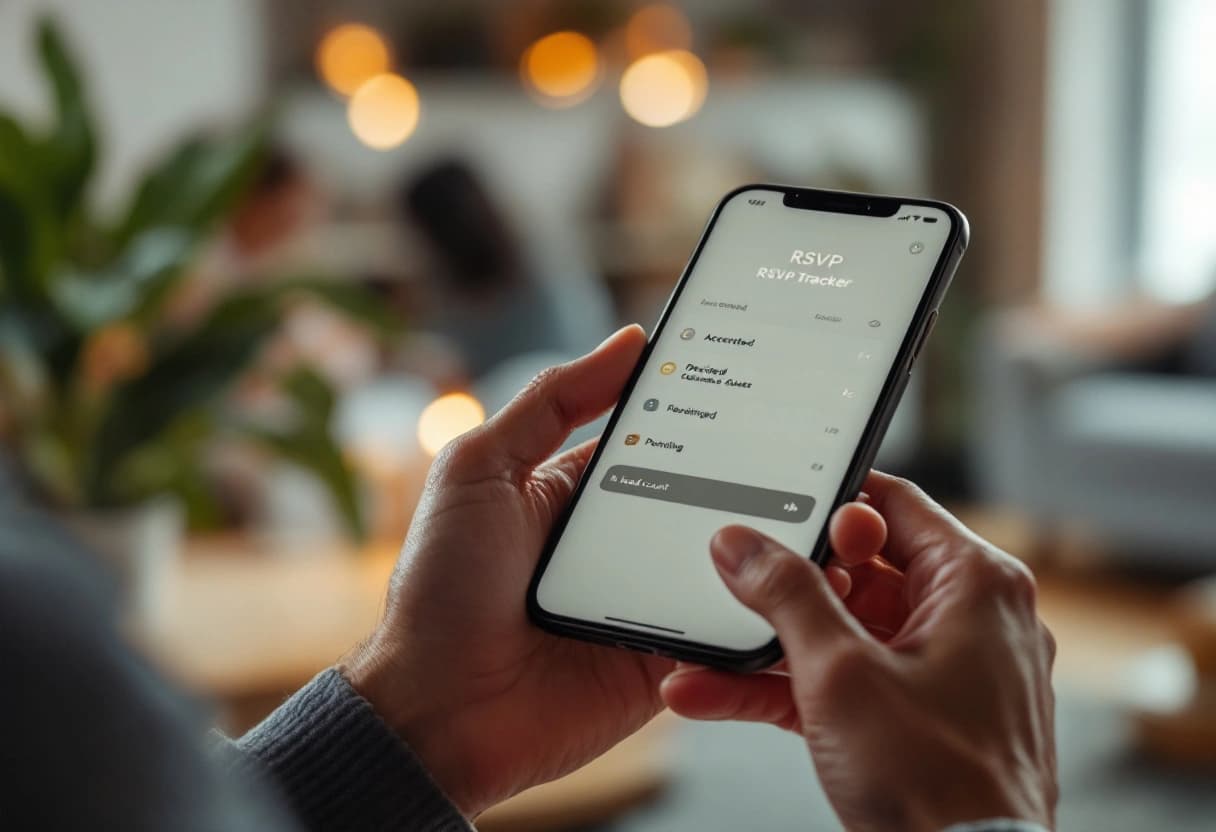
A good free RSVP tracking dashboard gives you four things:
- Live response status. Accepted, declined, and pending, updated the moment a guest taps the link, so you always know who's left to chase.
- An accurate headcount. Not just a count of "yes" replies, but a real total that includes plus-ones and children. The number you give the caterer should match the number on the screen.
- Dietary and meal data attached to each guest. Allergies and meal choices captured at RSVP time, not collected later in a second round of texts.
- Automated reminders. The tracker should nudge non-responders before your deadline without you sending a single message yourself.
Free RSVP Tracker vs a Simple RSVP Form
This is the distinction that trips people up. A simple RSVP form — a Google Form, a Jotform, a bare Evite reply — collects answers. A free RSVP tracker does the counting: it keeps a running headcount, separates accepted/declined/pending in real time, and tells you who still hasn't answered. If you find yourself opening a spreadsheet to tally "yes" replies or manually checking who's missing, you have a form, not a tracker. A dedicated tool like Invyt's RSVP tracker for any event closes that gap so the dashboard is always current.
Here's how the tools in this comparison actually differ on tracking, not just collection:
- Invyt is the only one here that tracks per-event status across a multi-part celebration, so you can see that 80 people said yes to the mehndi and 200 to the reception from one RSVP tracker. Headcount, dietary notes, and plus-ones all live on the same dashboard.
- Joy has a strong wedding tracking dashboard with meal choices and plus-one limits, but only for a single wedding.
- Partiful tracks responses and waitlists well for a one-off party, though it skips dietary fields and per-event breakdowns.
- Luma tracks a live guest list with QR check-in at the door, but no dietary fields or multi-event guest lists.
- Evite shows counts and sends reminders, but the dashboard is thin once your event gets formal.
- RSVPify tracks a single small event in detail, then the 100-guest cap and one-event limit stop you.
- Google Forms does not track anything. It dumps responses into a sheet, and you become the tracker.
If tracking is the reason you're shopping, that's the line that matters more than the invitation designs. A pretty invite with no real dashboard behind it just moves the spreadsheet work to a different week.
How to Pick the Right Free RSVP App or Website
The "best" tool depends entirely on your event. Here's a decision framework:
Your event has multiple parts (ceremony + reception, or a multi-day celebration): Go with Invyt. It's the only free tool on this list that handles multi-event RSVPs properly. Guests RSVP to each event separately from one link.
You're planning a casual party and want social features: Partiful. The activity feed and waitlist management are fun for friend-group events.
You're running a community event, meetup, or workshop: Luma. Unlimited free events and QR check-in are built for exactly this.
You need a complete wedding planning platform: Joy, if your wedding follows a traditional one-ceremony-one-reception format.
You want maximum form customization for a small event: RSVPify, if you're under 100 guests and need conditional form logic.
You're hosting a public event: Eventbrite. Nothing else on this list is built for event discovery.
Your guest list includes international family or WhatsApp-heavy communities: Invyt. The WhatsApp sharing and multilingual support (English, Spanish, and Portuguese) are purpose-built for diaspora families coordinating across countries.
Best Free RSVP Tool by Use Case (Quick Recap)
If you only remember one line per situation, here's the short version of the best online RSVP pick for each job:
- Best free RSVP app for a multi-event wedding: Invyt, for per-event RSVP and a single tracking dashboard.
- Best free RSVP tracker overall: Invyt or Joy, for a live status board with real headcount and dietary data.
- Best free RSVP for a casual party: Partiful, for the social feed and zero cost.
- Best free RSVP for a community event: Luma, for unlimited free events and QR check-in.
- Best free RSVPify alternative: Invyt, for the same form-and-tracking job without the 100-guest cap or the monthly bill.
- Best free RSVP software for a public event: Eventbrite, for discovery and registration.
- Best free RSVP for a quick headcount only: Google Forms, when the invitation itself doesn't matter.
Start your free Invyt RSVP page — no ads, multi-event RSVP, and a live tracker in minutes.
What "Free" Actually Costs You
One thing worth considering: free RSVP tools fund themselves differently.
Evite shows ads to your guests. That's the trade. Your invitation sits next to banner ads for products your guests didn't ask to see. For some events, that's a non-issue. For others, it undermines the tone you're trying to set.
Partiful and Luma are venture-funded, which means the business model is still being figured out. The core products are free today. Whether they stay that way is an open question, though both currently monetize through optional ticketing rather than ads.
RSVPify caps the free tier at 100 guests and one event, then moves you to a recurring subscription for anything larger.
Invyt and Joy offer genuinely free tiers without ads. Invyt monetizes through optional per-event premium features (like CSV export and advanced dietary reporting) for users who want them — paid once per event, never a subscription. Joy monetizes through its registry partnerships.
The point: read the fine print. "Free" with ads on your wedding invitation and "free" with no strings attached are very different experiences for your guests.
Start your free Invyt RSVP page and see the live tracker before you spend a cent.
Related Reading
For a full head-to-head breakdown of how Invyt stacks up against specific competitors, see Invyt vs The Knot and Partiful vs Invyt for parties. If you're setting up a wedding RSVP from scratch, our complete online wedding RSVP guide and how to create a wedding RSVP website walk through it step by step. And wedding planners managing multiple clients have different needs — see best RSVP tools for wedding planners for a breakdown tailored to professionals.